
⭐⭐⭐⭐⭐
“the easiest and best system I’ve ever used”
⭐⭐⭐⭐⭐
“so simple and cost-effective”
⭐⭐⭐⭐⭐
“an easier way to track everything”

Trusted by Direct Sales consultants at these and other fine companies









WHY USE SALES PAGES
Do you have inventory piling up in your home office? Do you feel like you bought too many sales and now you need a way to sell your products?
That’s exactly why we built Sales Pages!
All you do is set up your Sales Page and send your link to your customers, and share it on social media.
HOW IT WORKS
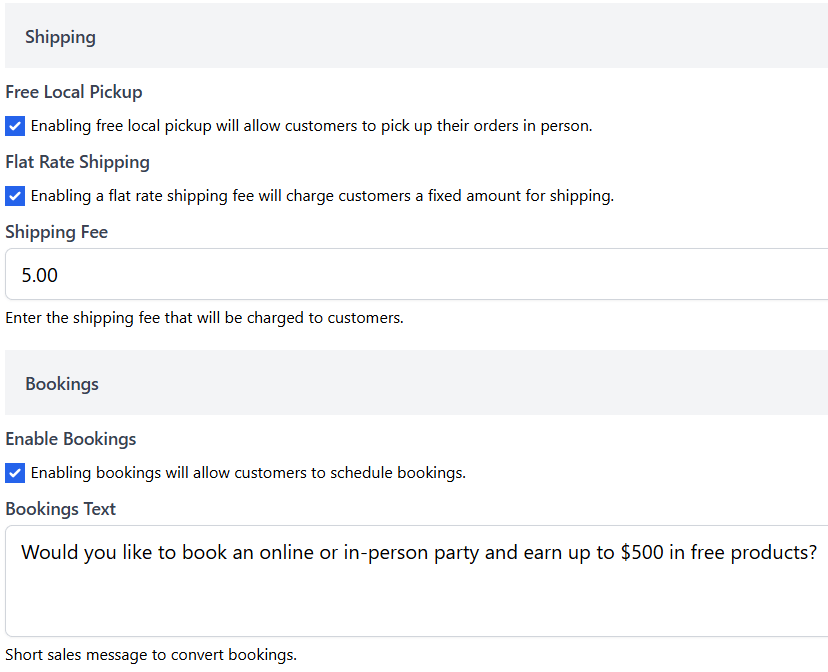
Customize your Sales Pages
Offer inventory sales with porch pickup or flat rate shipping.
Collect payments or invoice your customers later.
Create exclusivity by password protecting your Sales Page.
Offer inventory sales with porch pickup or flat rate shipping.
Collect payments or invoice your customers later.
Create exclusivity by password protecting your Sales Page.
Select your items for sale
One click to select all of your on-hand inventory
Or one click to select all products in your company catalog to run your own customer promotions and collect bulk orders.
Or select specific categories or themes.
One click to select all of your on-hand inventory
Or one click to select all products in your company catalog to run your own customer promotions and collect bulk orders.
Or select specific categories or themes.
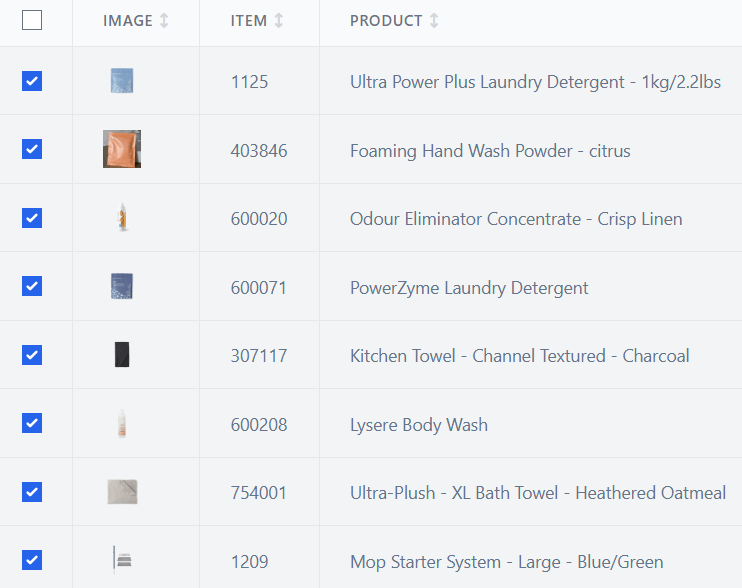
Select your items for sale
One click to select all of your on-hand inventory
Or one click to select all products in your company catalog to run your own customer promotions and collect bulk orders.
Or select specific categories or themes.
One click to select all of your on-hand inventory
Or one click to select all products in your company catalog to run your own customer promotions and collect bulk orders.
Or select specific categories or themes.
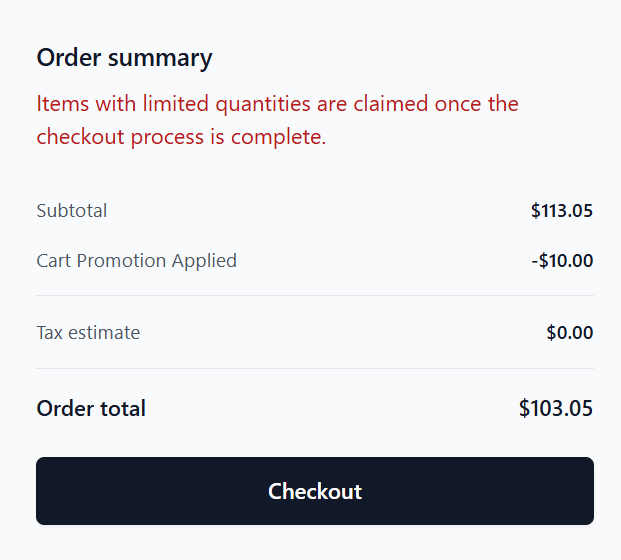
Offer promotions
Offer promotions on specific items or categories.
Incentivize large orders with cart discounts such as $10 off $100 or 15% off $150.
Share your link
- Share your sales pages’ links with your customers on social media, in your email signature, in your newsletter, and with your customers via text.
Share your link
- Share your sales pages’ links with your customers on social media, in your email signature, in your newsletter, and with your customers via text.
FAQ
Frequently Asked Questions
Anything! With Sales Pages, you can sell your on-hand inventory, handmade inventory, and run your own promotions on your company’s full catalog to collect bulk orders.
Sales Pages work for all companies that offer products or services for a one-time payment. If you sell a product or service for a one-time payment, Sales Pages will work for you. Sales Pages work especially well for direct sellers selling their on-hand inventory or to run promotions and collect bulk orders.
Of course you can! Direct Sidekick was built to help you manage and grow your business. You can use as much or as little of our program as you feel would most benefit your business. It makes a ton of sense to use Direct Sidekick for your Sales Pages and Accounting, though, as a sale in one of your inventory sale Sales Pages automatically removes the items from your inventory, adds the customer to your contacts, adds the items’ costs to COGS, and updates your financial reports.
There are no limits to how many Sales Pages you may offer. We want you to grow your business! For on-hand inventory sales, they all connect to and update your available inventory when a sale is completed on any Sales Page. Many customers offer an inventory Sales Page and a free sample Sales Page to their customers all the time. Then they add new Sales Pages when they want to run special full-catalog promotions. For example, 12 Days of Christmas sales, etc.
Yes, Sales Pages were built with compliance in mind. You can choose to password protect your Sales Pages if your company’s policies prohibit you from selling your inventory on public websites. You can choose to accept online payments, or you can invoice your customers for payment if your company does not allow you to collect online payments. If you have any questions, please email [email protected].